Generative AI is becoming part of everyday business operations. From writing emails and summarizing meeting notes to analyzing data and creating presentations, AI can help employees handle tasks that once required significant time and manual effort. As businesses expand their use of AI across different workflows, however, they may find that answering questions is not enough. AI may not always have the full context behind a task.
Business information is often scattered across emails, documents, CRM systems, collaboration tools, and other business applications. Employees may need to repeatedly copy information, switch between different tools, and organize the relevant data before asking AI to generate a useful result.
Table of Contents
Table of Contents
What Is Amazon Quick?
Amazon Quick from AWS is an AI assistant designed for work that connects with the applications, data, and tools businesses use every day. It can help with tasks such as gathering information, organizing data, writing reports, and handling repetitive work.
By working with enterprise data and business context, Amazon Quick extends AI beyond one-time conversations to data analysis, research, and workflow execution. This allows AI to work more closely with existing business environments, reducing the time employees spend searching across systems and organizing information, so teams can focus more on tasks that require human judgment and decision-making.
Five Key Capabilities of Amazon Quick
Amazon Quick brings data organization, research, team collaboration, and workflow execution into a single work environment. Users can interact with AI using natural language, while creating dedicated spaces, AI agents, and automated workflows based on their team or business needs. This enables AI to become part of everyday work and support tasks across different business functions.
1. Create Shared Knowledge Spaces for Teams
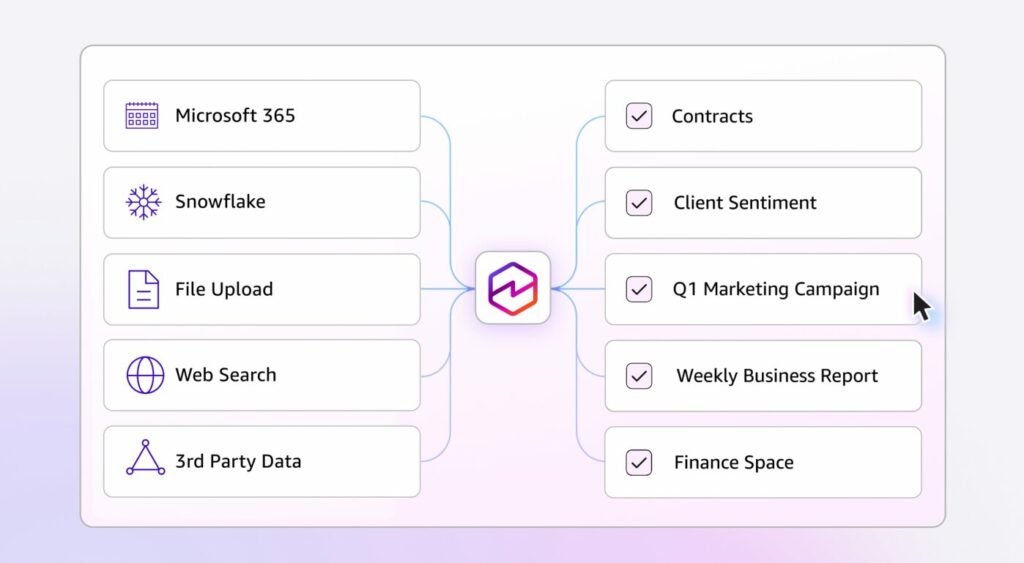
Amazon Quick Spaces brings team files, dashboards, data sources, and knowledge together in a shared workspace. Team members can access the same data and AI agents based on their projects or business needs, creating a shared context that makes it easier to pick up where others left off and continue ongoing work.
2. Build Custom AI Agents for Your Business
Amazon Quick enables businesses to create custom AI agents based on their specific workflows and requirements. Teams can define an agent’s role, response behavior, knowledge sources, and available tools. For example, a sales agent can help organize customer information, while a marketing agent can analyze market data. Once configured, the same AI agent can be shared across the team, using consistent knowledge sources and business rules to handle related tasks.
3. Conduct In-Depth Research and Uncover Key Insights
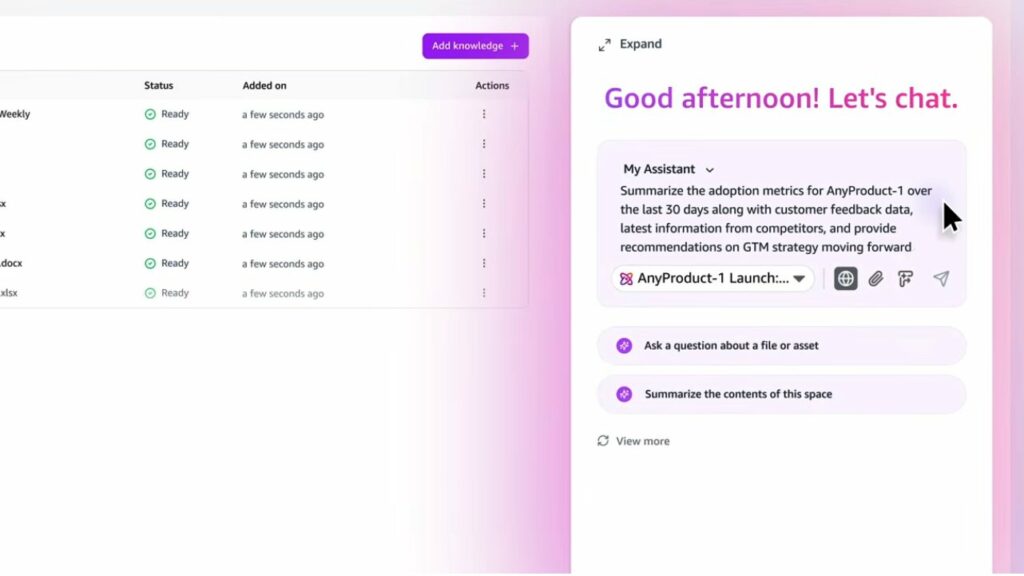
Amazon Quick Research can search both enterprise data and publicly available information to generate structured research reports. For tasks such as market analysis, competitive research, and industry trend analysis, users can simply ask a question and let AI gather, analyze, and organize the relevant information, reducing the time spent on research and report preparation.
4. Visualize Data for Business Insights
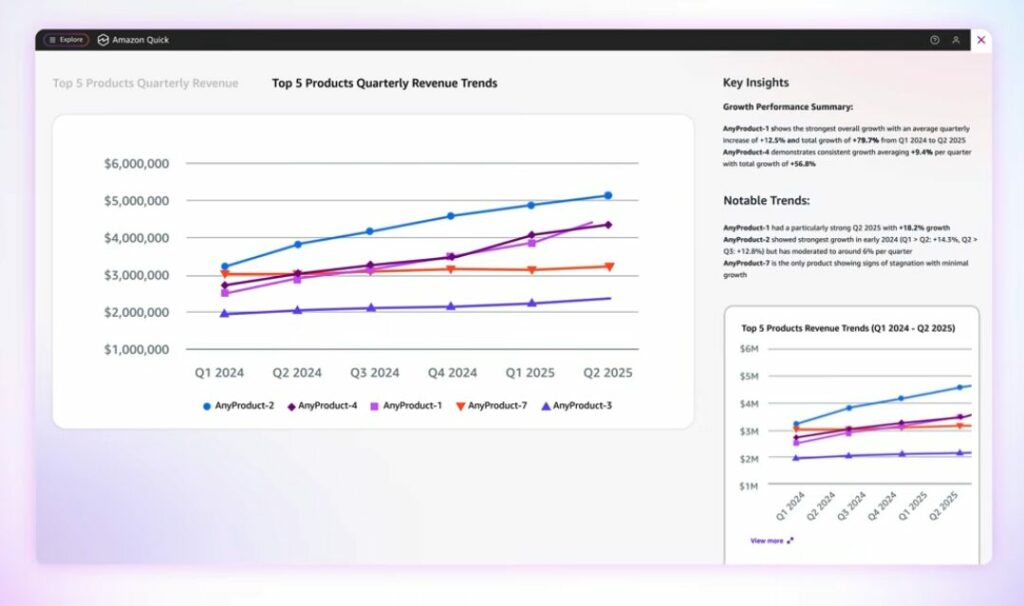
Amazon Quick integrates Amazon Quick Sight analytics to analyze enterprise data based on natural language queries and generate charts and interactive dashboards. Users can ask about sales trends, operational performance, or business changes, then explore the underlying data through visualizations to gain a clearer view of business performance.
5. Automate Workflows and Reduce Manual Tasks
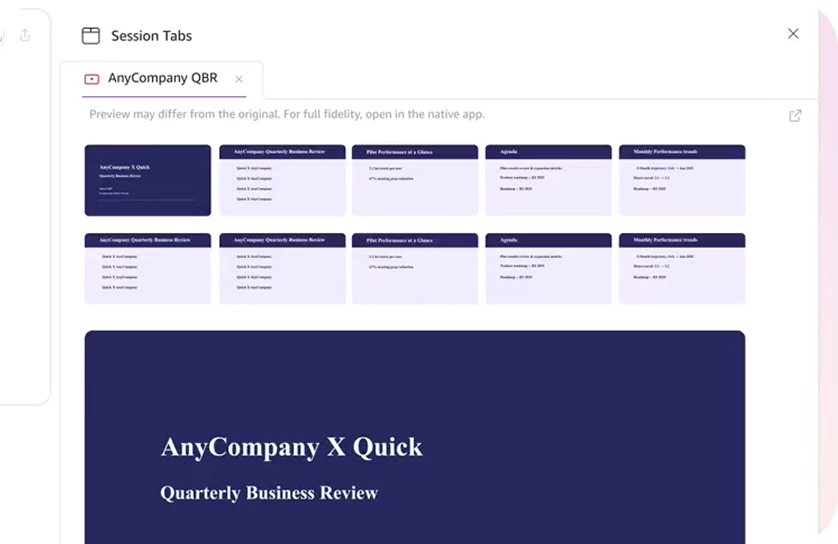
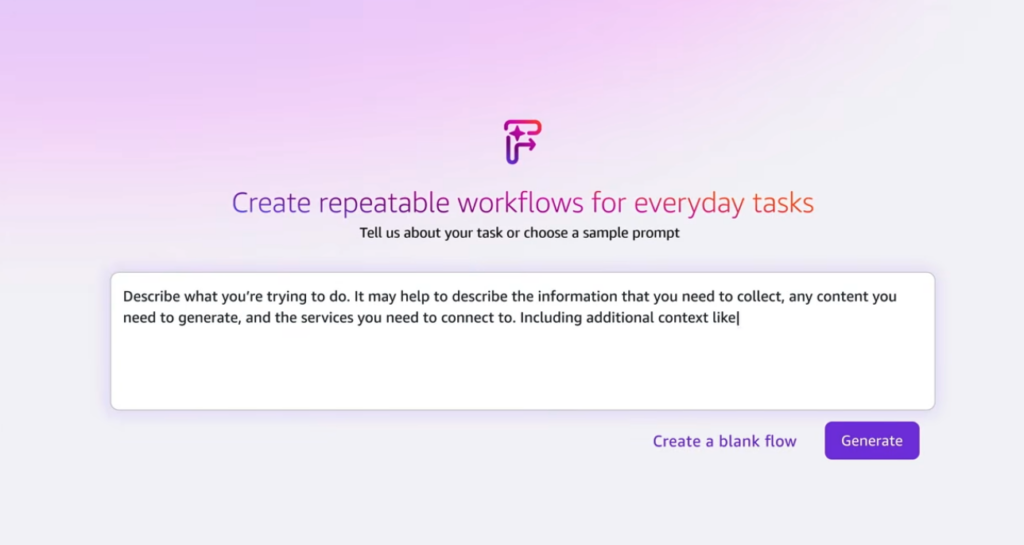
Amazon Quick Flows connects with the applications businesses use every day, linking data organization, content generation, decision-making, and follow-up actions into end-to-end workflows. Users can describe their requirements in natural language and create automated workflows, allowing AI agents to handle repetitive tasks and reducing manual work and the need to switch between different systems.
According to AWS’s internal six-month validation involving approximately 200,000 users, Amazon Quick demonstrated measurable improvements in productivity:
- Up to 95% less time spent on AI-assisted report writing
- 100 hours saved per week on research report preparation
- 80 hours saved per month on policy file processing for security teams
Quick also supports connections to more than 40 workflows and business tools, including Excel, Outlook, and PowerPoint. By bringing AI into familiar work environments, Quick helps users reduce time spent on repetitive tasks and dedicate more time to work that requires professional judgment and decision-making.
How Is Amazon Quick Different from a Typical AI Chatbot?
The differences can be viewed across data sources, how work gets done, and the range of business use cases.
| Category | Typical AI Chatbot | Amazon Quick |
|---|---|---|
| Primary Use Cases | Question answering and content generation | Question answering, research, analysis, automation, and application building |
| Data Sources | Varies by product; may use user-provided content or external data | Can connect to enterprise data, applications, and work tools |
| AI Agents | Some products support AI agents | Built-in AI agents that can be customized for specific needs |
| Workflows | Users typically take the output and handle the next steps themselves | AI can continue with designated tasks and actions |
| Custom Applications | Depends on the product and available features | Custom applications can be created using natural language |
| Work Environments | Primarily focused on individual conversations and specific tasks | Extends across enterprise systems and cross-functional workflows |
A typical AI chatbot can help users find information or generate content, while Amazon Quick is designed around real-world work scenarios. By connecting enterprise data and business tools, Quick enables AI agents to participate in workflows and help carry tasks through to completion.
Amazon Quick Desktop: Bringing AI Assistance into Everyday Work
Amazon Quick Desktop is now generally available on macOS and Windows, bringing AI assistance directly into the desktop environment where users work every day. Quick can proactively perform tasks based on a schedule and specific work requirements, without waiting for users to initiate a conversation each time. For example, you can tell Quick, “Every morning at 7:30, tell me which customer meetings I have today and give me three key points to prepare.” Quick can then gather the relevant information on schedule, helping users stay prepared for the day ahead.
Beyond conversations and information retrieval, Quick Desktop can access authorized local files and interact with applications, browsers, and other work tools on the computer. This enables Quick to support tasks that require actions across multiple tools.
For example, users can ask Quick to organize relevant documents on their computer, find work-related information, or take the next steps based on existing data. These tasks do not have to remain open in a chat window. AI agents can continue working in the background, even after the user closes their laptop. Once a task is complete, Quick surfaces items that require user confirmation or decision-making in the Activity Feed, making it easier to quickly review progress when returning to work.
Amazon Quick also keeps work in sync across its desktop and mobile apps for iOS and Android. Conversations, tasks, and work progress started on the desktop can be viewed and continued on mobile devices. Users can also check the Activity Feed from their phones to stay up to date on the latest status of AI tasks.
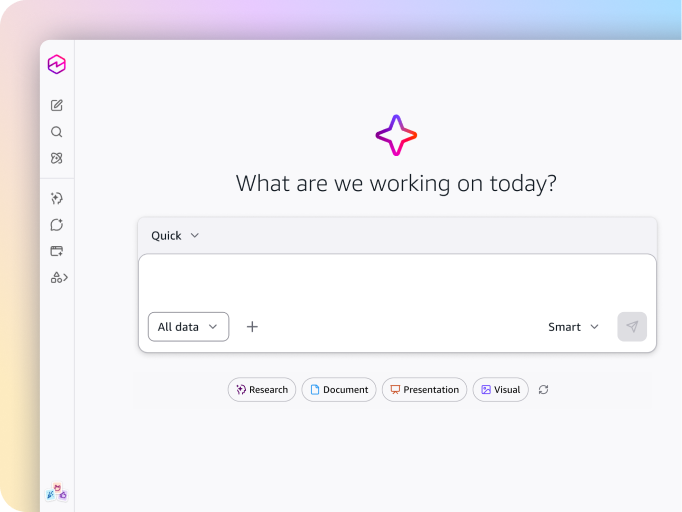
Traditionally, using AI meant opening a chat when a question came up, getting an answer, and then taking over the next steps. Amazon Quick Desktop changes this interaction by allowing users to assign tasks to AI and return when they need to review the progress. AI becomes an ongoing digital assistant that can continue working alongside users throughout the day.
Interested in using Amazon Quick and AI agents to accelerate your business workflows? Contact Nextlink’s cloud consultants to explore your business needs and design the right AI agent and workflow automation solutions for your organization.